![pp-Logo-transparent white.png]](https://support.pupilprogress.com/hs-fs/hubfs/pp-Logo-transparent%20white.png?height=40&name=pp-Logo-transparent%20white.png)
You can now add your Teacher Predicted Grades directly into your tracker, ensuring you're basing your decision on accurate data calculated objectively from our trackers.
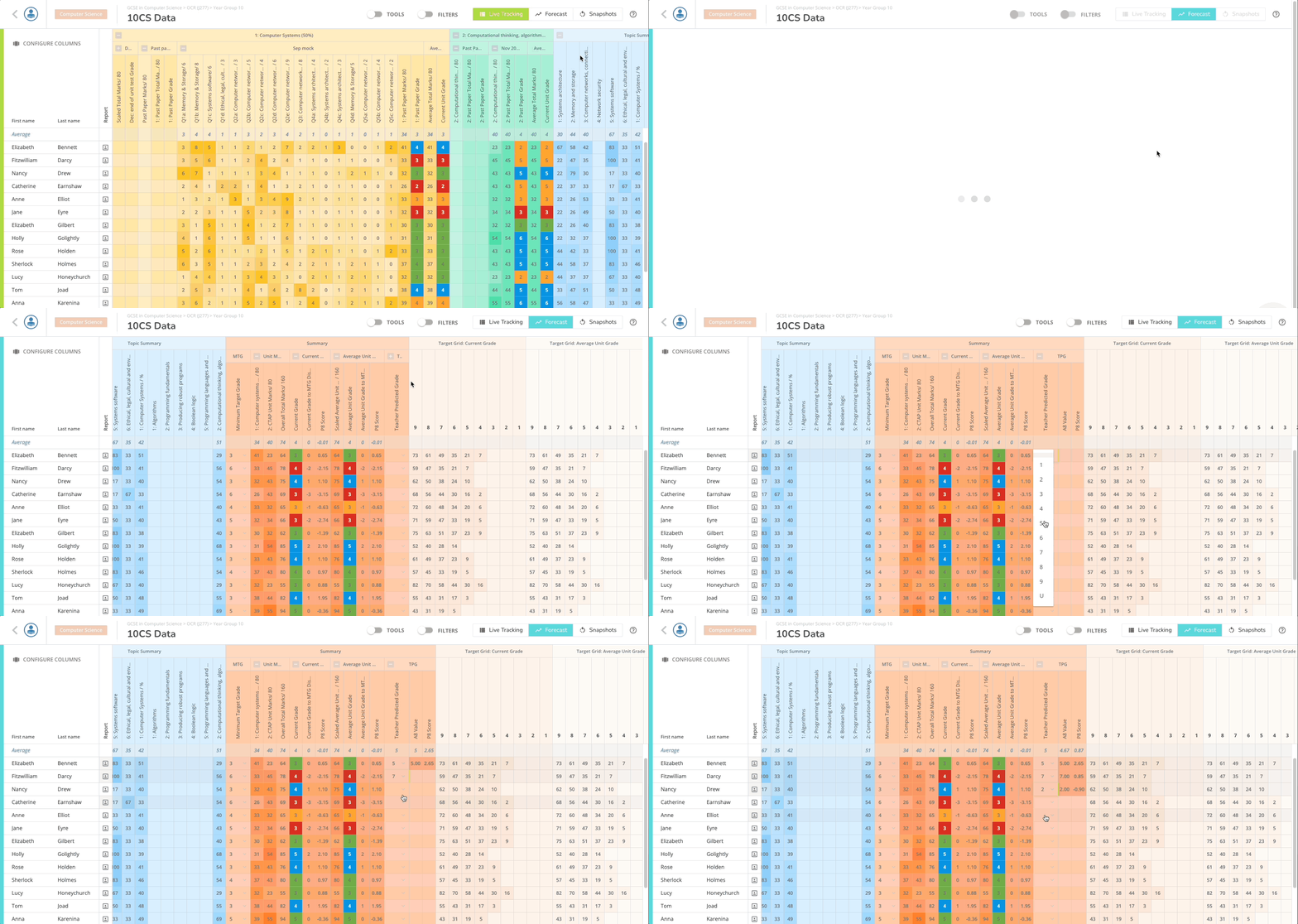
Once you're in Live Tracking, switch to the Forecast view and scroll to the far right of your tracker. In the Summary section, you'll find a column titled "Teacher Predicted Grades" where you'll be able to select the grade that each of your students deserve for your course.
See all Teacher Predicted Grades across the school in the Analysis
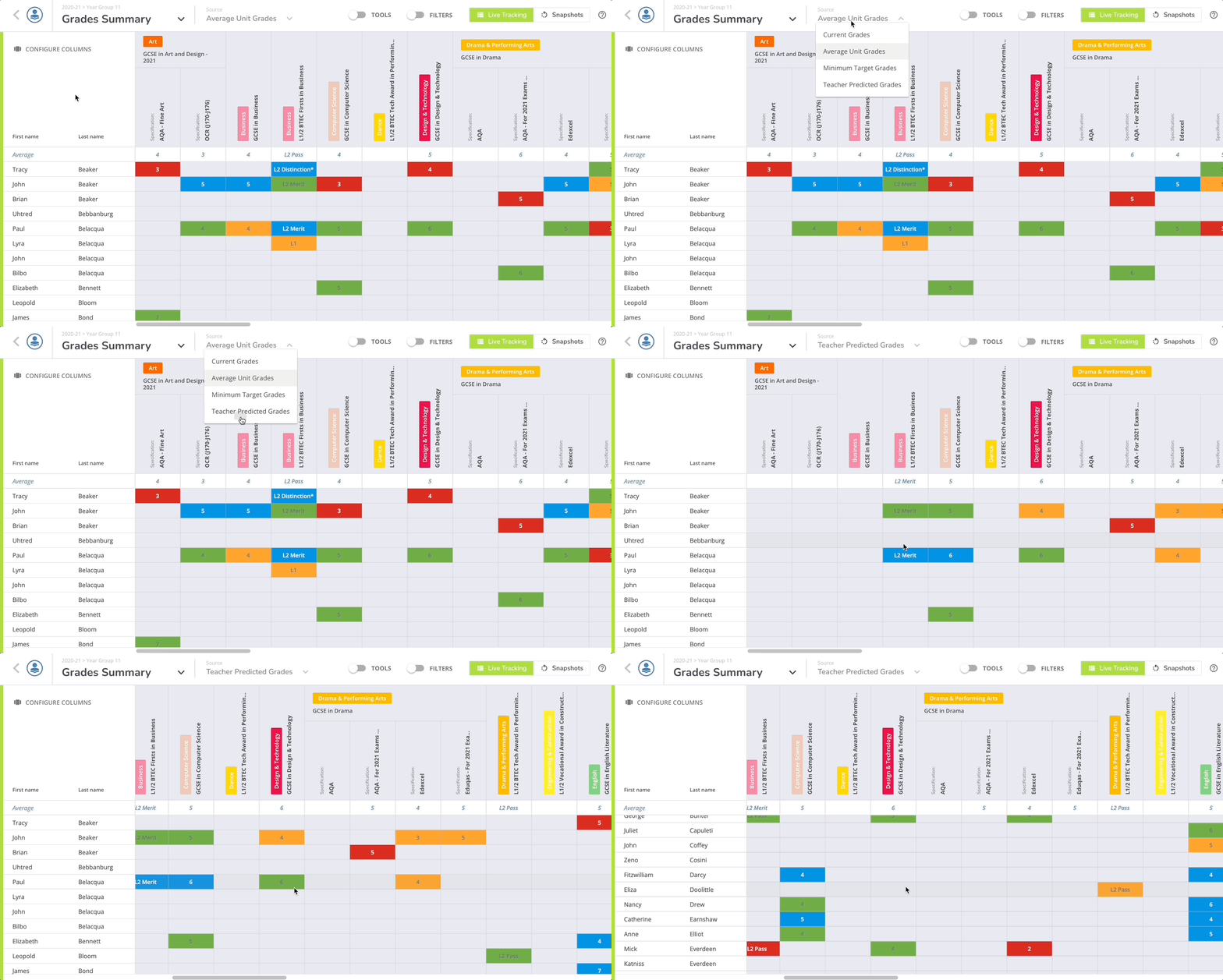
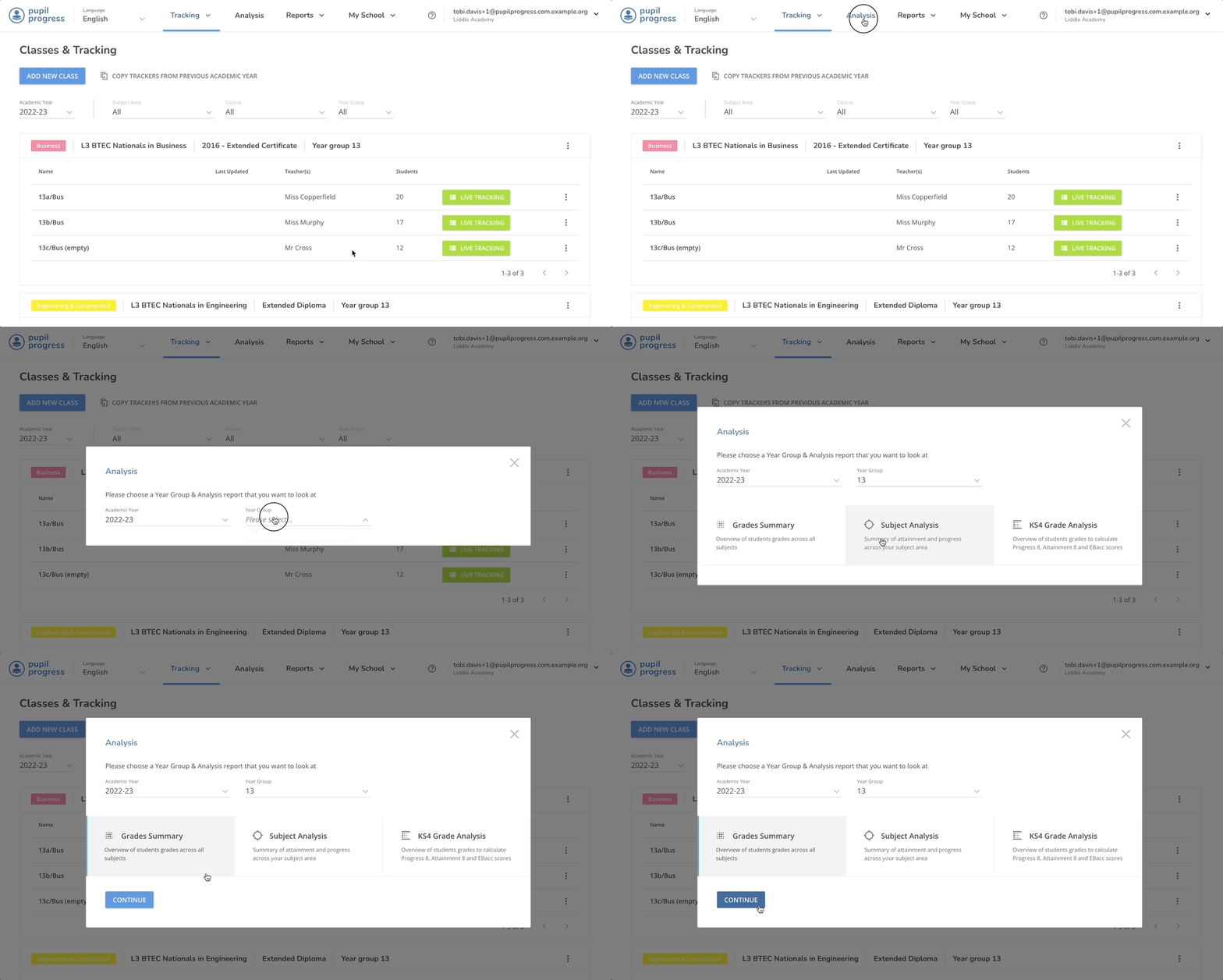
School Admins and Leaders of subjects will also be able to see all Teacher Predicted Grades across the whole school. This overview can be access from the Analysis tool. Select the relevant year group from the dropdown menu, select Grades Summary and then click on Continue.
Finally, change the source of the overview to be Teacher Predicted Grades from the dropdown in the top menu.