![pp-Logo-transparent white.png]](https://support.pupilprogress.com/hs-fs/hubfs/pp-Logo-transparent%20white.png?height=40&name=pp-Logo-transparent%20white.png)
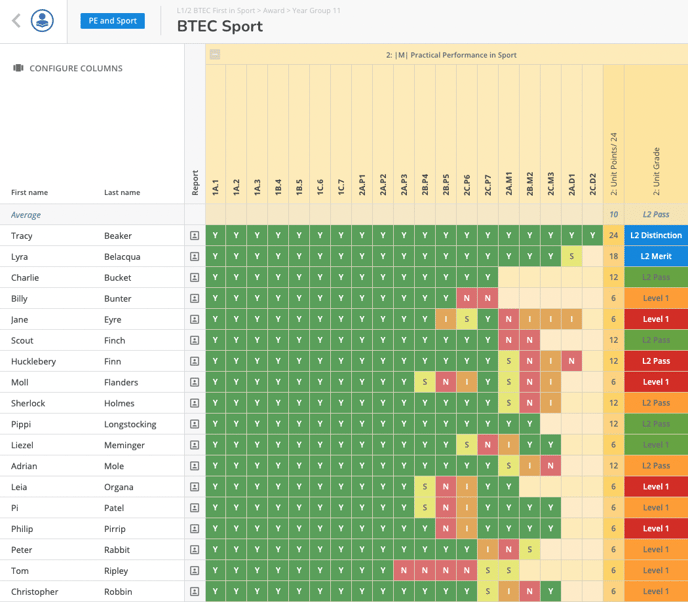
In your most vocational trackers you can enter specific letters for each criteria to track your students' progress:
-
- Y = Passed
- N = Failed
- S = Submitted, awaiting grading
- I = Incomplete
- E = Evidence towards criteria
- Z = Blanking code (counting as Y, but for units not delivered for QTAG - indicating therefore the students would have achieved this level had they sat the unit)
Can I add a customised assessment to my vocational tracker?
Yes, you can add tests to your trackers by following the same procedure described in this article:
You will then be able to enter your students' raw marks and these will automatically be converted in UMS from the tracker to accurately calculate their grades.
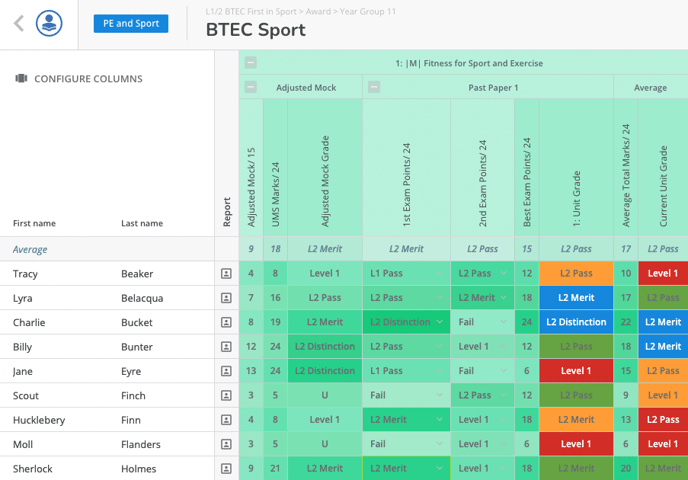
You can use the Customised Assessment to add any personalised assessment you may have, and use the Published Assessment for the actual exams.
If you have any further questions, don't hesitate to get in touch with us directly over the helpdesk or at support@pupilprogress.com