![pp-Logo-transparent white.png]](https://support.pupilprogress.com/hs-fs/hubfs/pp-Logo-transparent%20white.png?height=40&name=pp-Logo-transparent%20white.png)
If you're a School Admin you can send out invitation emails to your members of staff from your account.
Click on My School from the top menu and then go in the Staff tab.
Here you can either
- Send out targeted invitations
Find the relevant teacher that you want to invite, click on the 3 dots on the right-hand side and select Send invitation email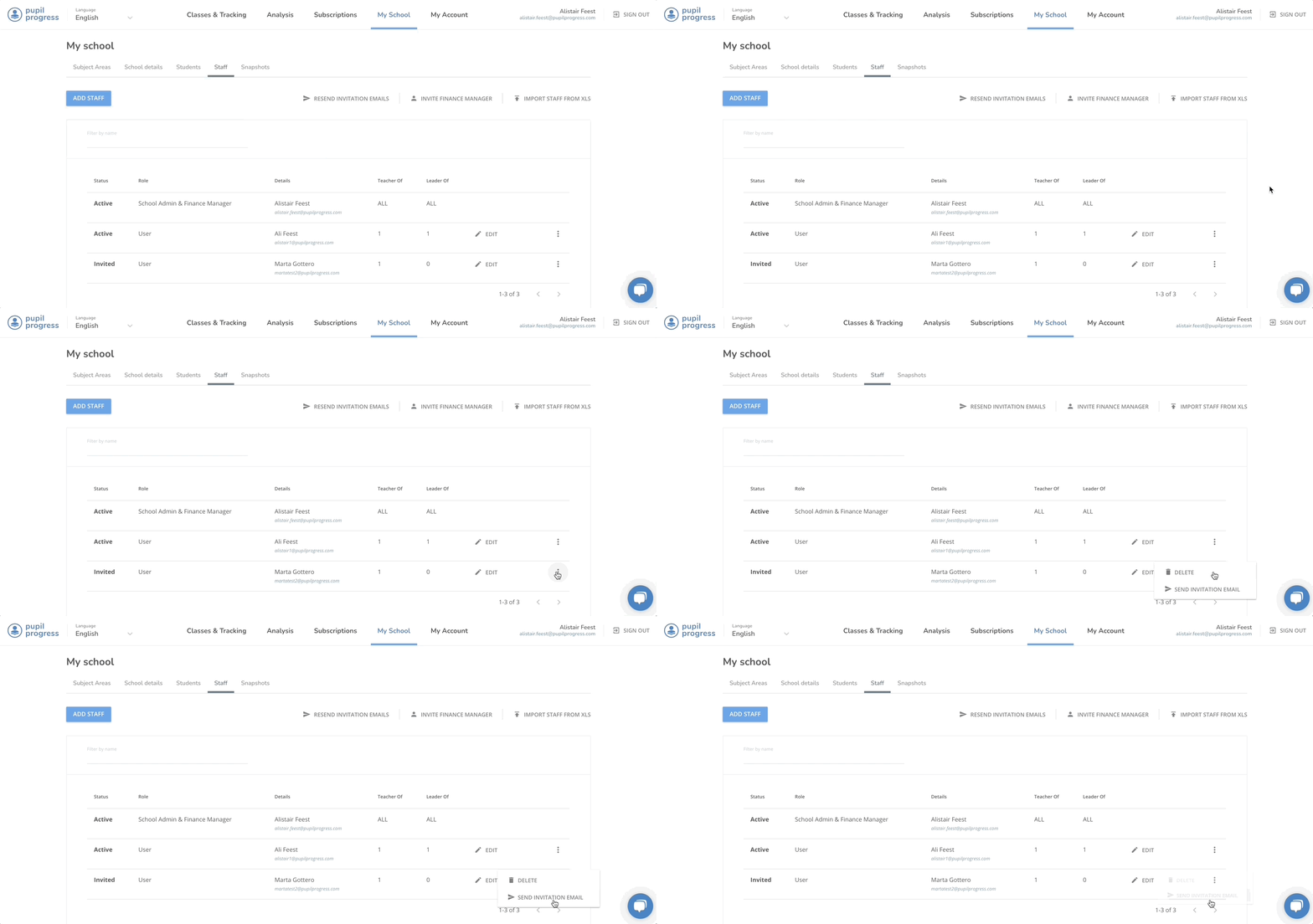
- Send out invitations in mass
By clicking on Resend invitation emails, all your registered members of staff who are yet to activate their accounts will receive another invitation email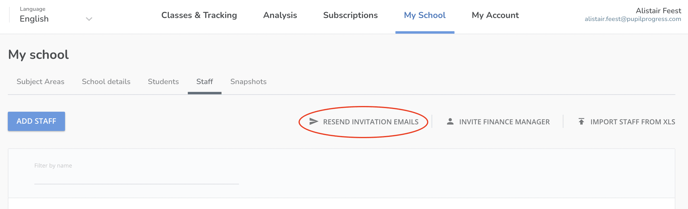
The member of staff I'm looking for is not included in the staff list - what do I do?
In this instance, you would have to add them to your staff list first. Refer back to this article to see how:
If you have any further questions, don't hesitate to get in touch directly with us over the helpdesk or via email at support@pupilprogress.com