![pp-Logo-transparent white.png]](https://support.pupilprogress.com/hs-fs/hubfs/pp-Logo-transparent%20white.png?height=40&name=pp-Logo-transparent%20white.png)
A synchronised class will update every night via a link to your MIS (SIMS, Bromcom, Arbor, etc) to ensure your classlists are always up to date.
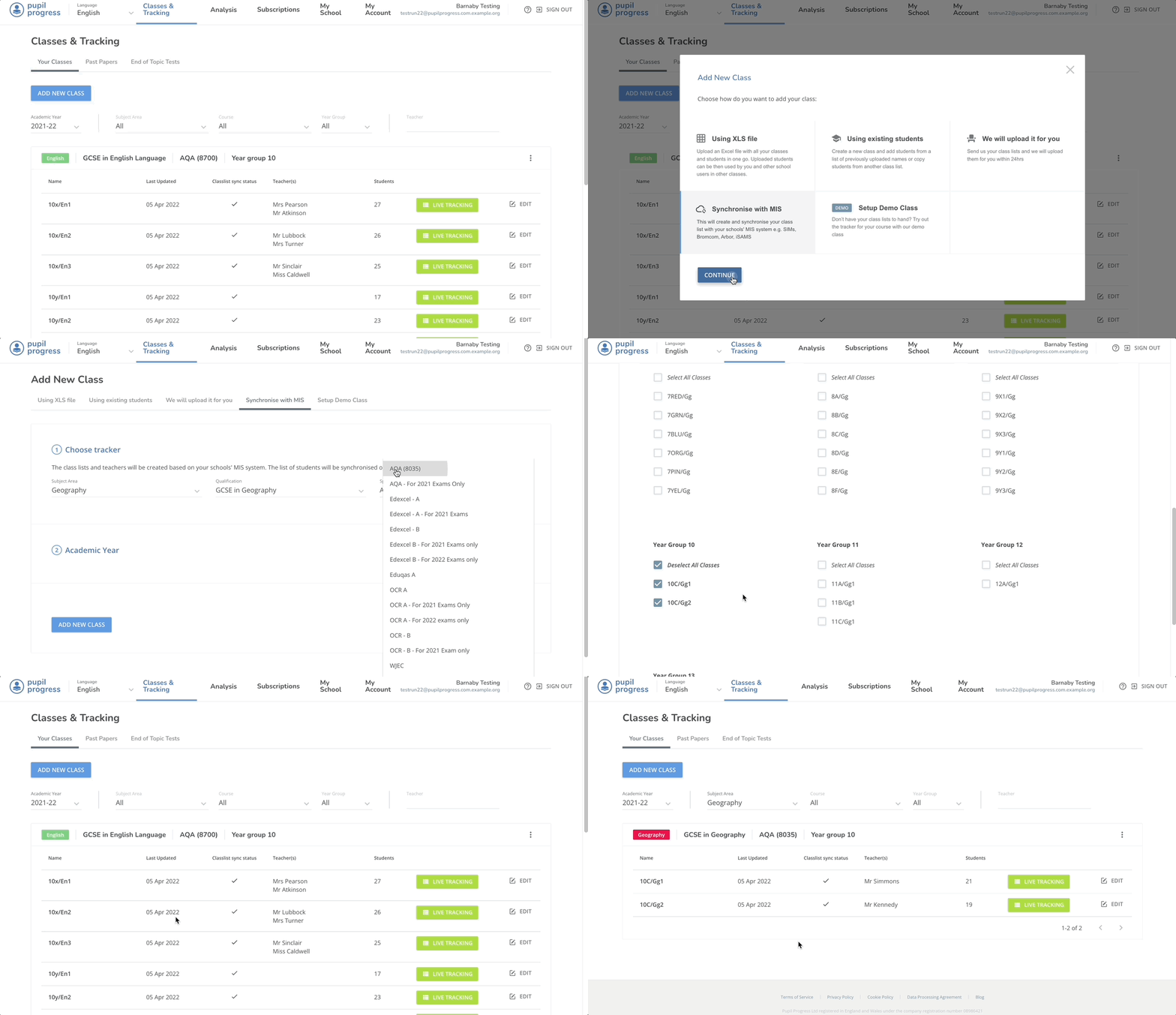
To create a new synchronised class:
- Click Add New Class
- Select Synchronise with MIS - Don't see this? Contact our support team to connect with Groupcall
- Choose your course details
- Select the classes that you want to set to that tracker
I don't have the Syncronise with MIS button
Only schools that have activated their link to us via Groupcall will be able to synchronise their classes. To do this, your data manager will need to authorise the connection between Groupcall and Pupil Progress. If you need help with this, please contact us using the chat icon on the bottom right or on support@pupilprogress.com
I can't see my classes
To keep the class options short, our platform matches our subject areas with the subject areas on your MIS. Some schools use slightly different codes or names that we might need to match against. If you contact us using the chat icon on the bottom right or on support@pupilprogress.com we will be able to add your codes so you can then see your subject area.
Some of my classes have crosses next to them
If you already have classes on Pupil Progress in a year attached to the tracker you have selected, you will not be able to add them. Instead you will need to convert the existing classes to a synchronised class list to ensure all your data is carried across.
.png?width=255&name=Screenshot%202022-04-05%20at%2015.13.45%20(1).png)