![pp-Logo-transparent white.png]](https://support.pupilprogress.com/hs-fs/hubfs/pp-Logo-transparent%20white.png?height=40&name=pp-Logo-transparent%20white.png)
If you currently have access to a specific qualification in your subject area, such as GCSE, but you're looking to track students taking another qualification, such as A-Levels or a vocational course, you can easily upgrade your subscription on Pupil Progress.
Click on Subscriptions from the top menu and then click on Upgrade for the relevant subject.
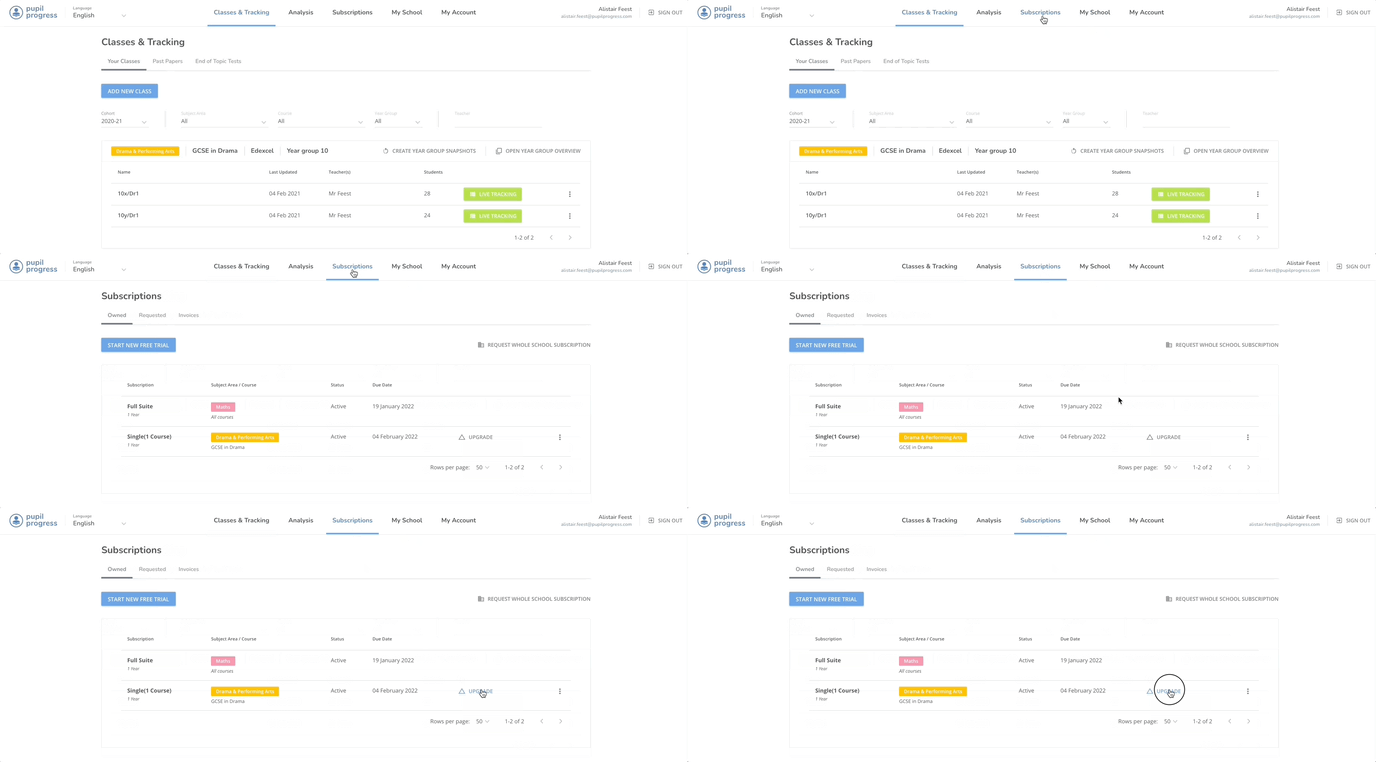
Here you'll be able to:
- Select the qualification/s that you want to access within the selected subject area (ensure the one/s you already have access to is selected as well). Once 3 qualifications get selected, you automatically get access to all qualifications available for the same price
- You should invite your school's Finance Manager to join Pupil Progress so they'll be able to take care of processing the payment for your subscription.
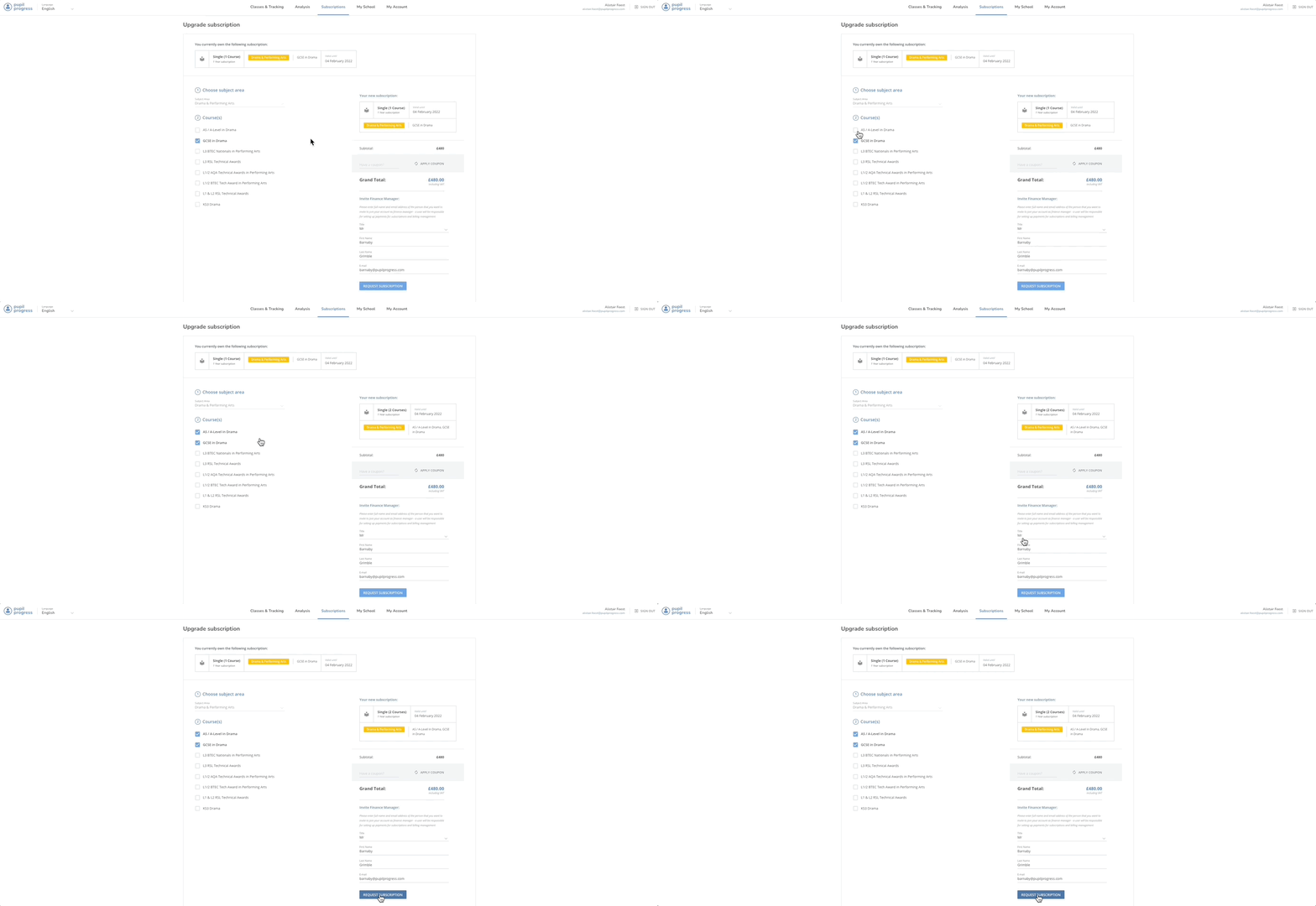
Once all the information is correct, click on Request Subscription and your request will be processed.
How do I upgrade to access tracker for the whole school?
You can also upgrade your subscription to buy access to trackers for all subjects, so that your school can consistently track your students' progress across all departments.
Click on Subscriptions from the top menu and then click on Upgrade to whole school subscription.
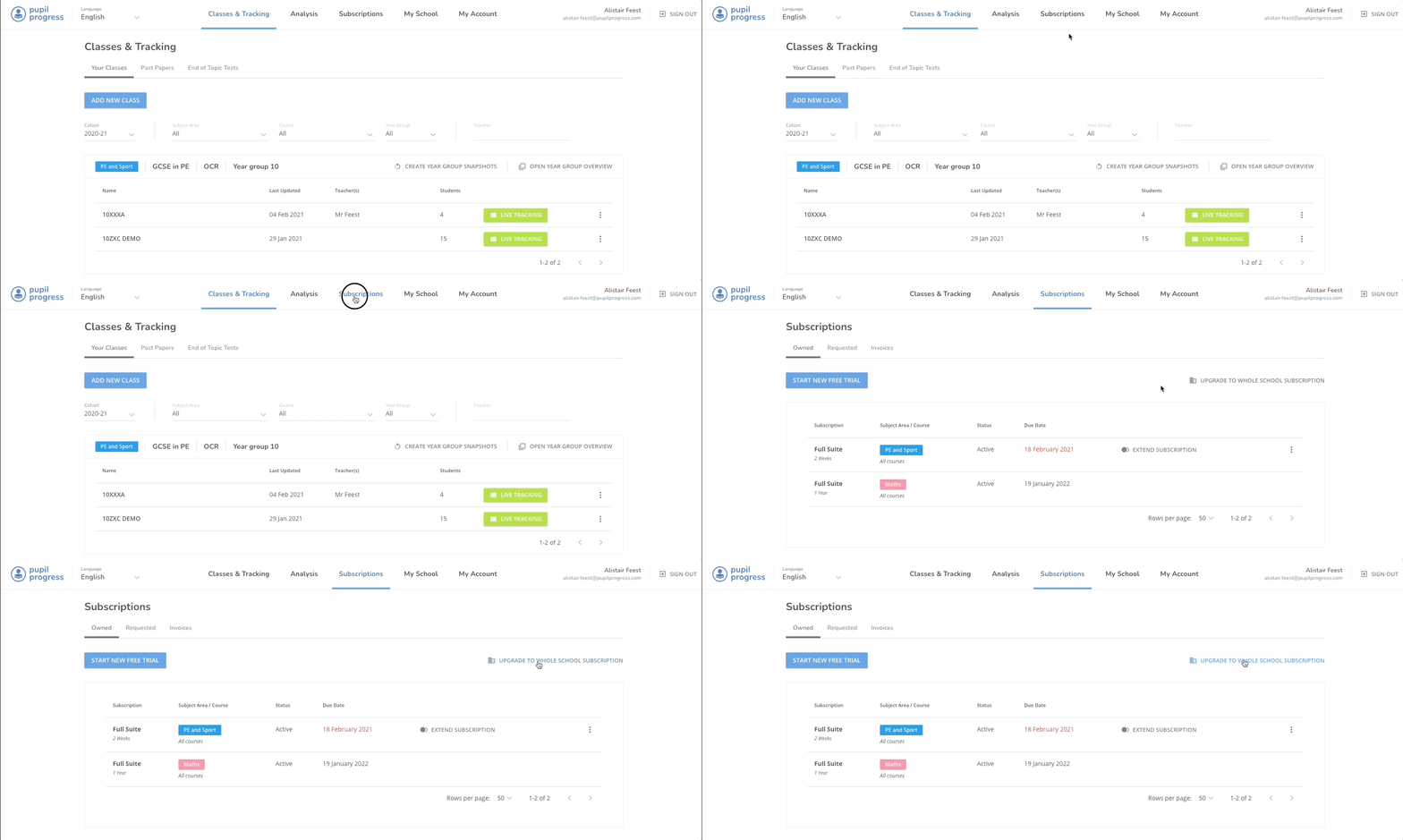
The price of your current subscriptions will be subtracted from the cost of the whole school subscription, and once your requested subscription is processed you'll quickly be able to set up classes for all subjects on your school's account.
If you have any questions, don't hesitate to get in touch with us directly through the helpdesk or email support@pupilprogress.com